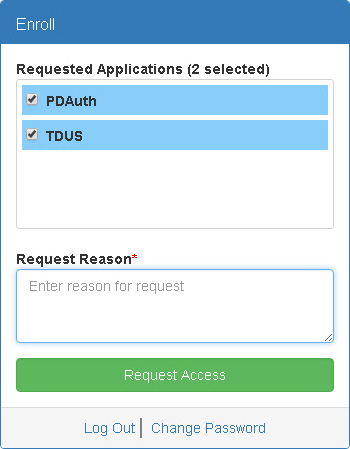
At any time after you have created your account, you can request access to applications by filling out the Enroll window.
1. Click Enroll in the PDAuth Menu
Bar.
The Enroll window appears.
2. Select the applications you want to request access for in the Requested Applications list.
3. Type the reason you want access to the selected applications in the Request Reason field.
4. Click Request Access.
You will receive an email notification when an administrator approves or rejects your access request.