Use the following procedure to create a PDAuth account:
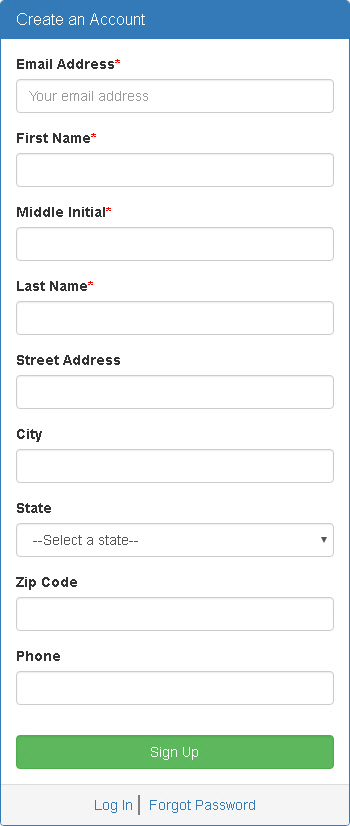
1. From the Login window, click Create Account.
The Create Account window
appears.
2. Enter the appropriate information in the fields
and click Sign Up.
A confirmation email will be sent to the email address you provided.
3. Open the message in your email account and click
the link provided.
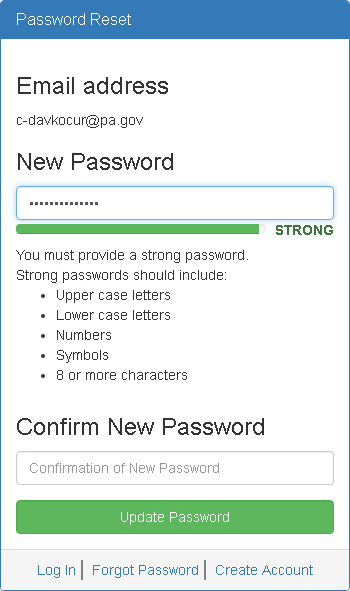
The Password Reset window
appears.
4. Enter a password that meets the strong password requirements in the New Password field.
5. Click Update
Password.
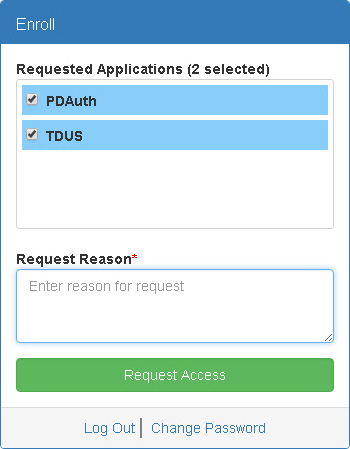
You are redirected to the Enroll window.
6. Select the applications you want to request access for in the Requested Applications list.
7. Type the reason you want access to the selected applications in the Request Reason field.
8. Click Request Access.
You will receive an email notification when an administrator approves or rejects your access request.