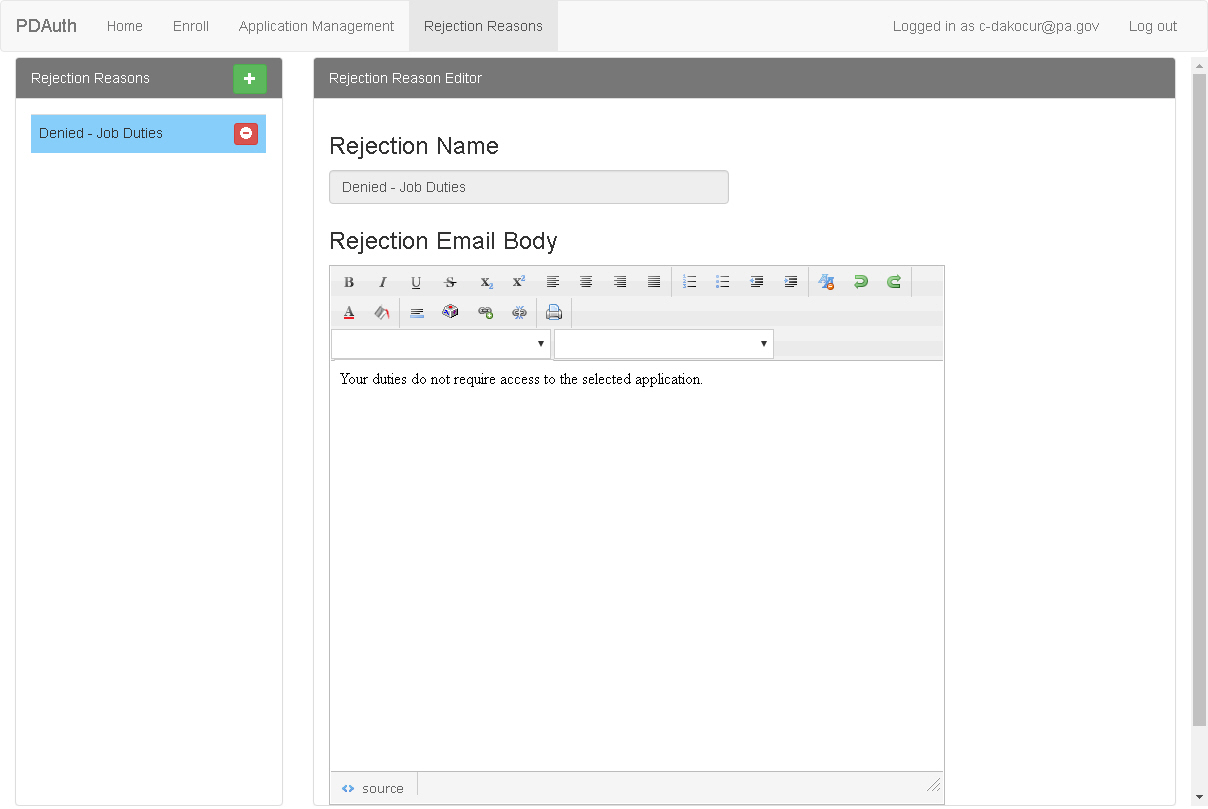
The Rejection Reasons Editor Page appears when you click Rejection Reasons on the PDAuth Menu Bar. It contains controls for adding or modifying rejection reason to be sent with access rejection emails.
 Add New Reason - Click this button
to add a new rejection reason to the list.
Add New Reason - Click this button
to add a new rejection reason to the list.
 Remove Reason - Click this button
to remove a rejection reason from the list.
Remove Reason - Click this button
to remove a rejection reason from the list.
Rejection Name - The name of the reason as it appears in the Rejection Reasons list.
Rejection Email Body - Enter or modify the text of the rejection reason as desired. this text will be included n the rejection email sent to the requesting user.