 (Add External Layer) next to "External
Layers" in the Legend section.
(Add External Layer) next to "External
Layers" in the Legend section.The Add External Layer window appears when you click
(Add External Layer) next to "External
Layers" in the Legend section.
It contains controls for adding a layer from an external source using a URL (web address).
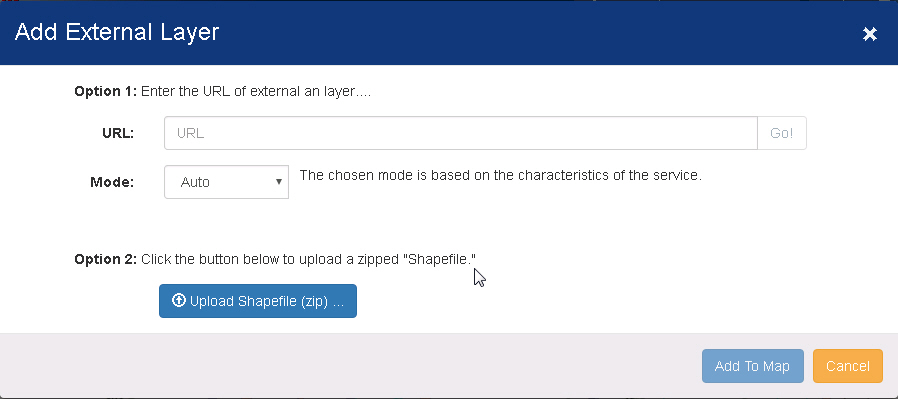
URL - Enter the URL web address for the layer.
Mode:
Auto - The chosen mode is based on the characteristics of the service.
On Demand - Only features for the current extent are retrieved.
Snapshot - The maximum number of features are retrieved from the server.
Upload Shapefile - Use this option to import your own shapefile from a .zip file.
Add to Map - Click this button to add the external layer to the map and close this window.
Cancel - Click this button to close the window without adding the layer.