under Legend.
 You can generate a PDF file of a map that you can save or print. The map will contain all visible layers and annotations.
To print a map:
1. Click under Legend.
2. Click  (Print Map).
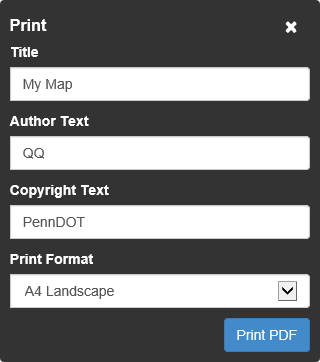
The Print window appears.
3. Fill in the Title, Author Text, and Copyright Text fields as desired.
4. Select a Print Format from the drop down list.
5. Click the Print PDF button.
A PDF file is generated.
You can save the PDF file to your computer or send it to a printer.