under Legend.
 You can export the currently displayed map as a Microsoft Excel (.xlsx) file.
The generated Excel file contains:
· A picture of the map at the zoom level displayed on screen
· Data for each layer presented in a separate sheet/tab in the workbook
To export the currently displayed map:
1. Click under Legend.
2. Click  (Export Map).
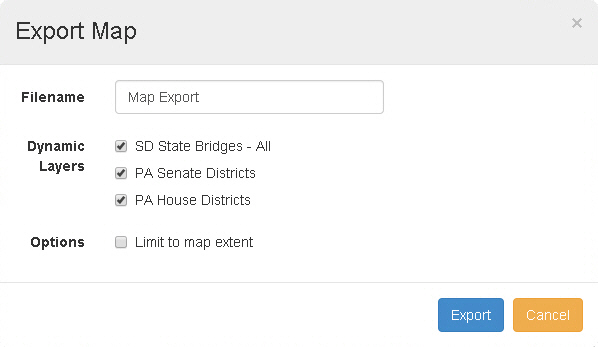
The Export Map window appears.
3. Enter a Filename.
Note: The file will be given an .xlsx extension automatically.
4. Select the Dynamic Layers to be included.
5. If you want to limit the data to the visible area of the map, select the Limit to map extent checkbox. Otherwise, leave the checkbox blank.
Tip: For example, if you have a statewide map loaded and are zoomed in on a single city, you may wish to limit the data to the city. In this case, you would select the Limit to map extent checkbox.
6. Click Export.
The system creates the Excel document. Depending on the layers contained in the map, it may take some time to generate the document.