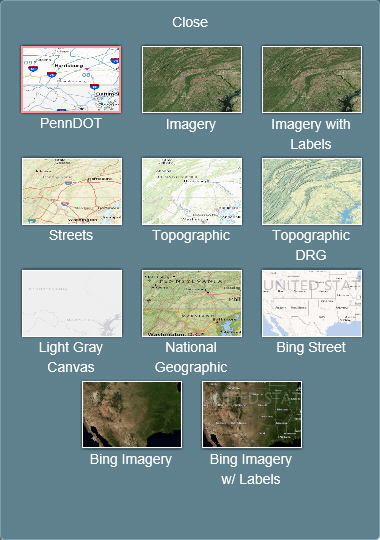
At any time, you can select a different basemap upon which layers will be overlaid.
To change the basemap:
1. Click the
Switch Basemap button at the top
right of your map.
The Basemap menu
appears.
2. Click the basemap you want to use.
Options include:
· PennDOT
· Imagery
· Imagery with Labels
· Streets
· Topographic
· TopographicDRG
· Light Gray Canvas
· National Geographic
· Bing Street
· Bing Imagery
· Bing Imagery with Labels
Note: The Basemap menu remains open until you close it by clicking Close on the top of the menu.